

Getting Organized Series Outline
- Introduction and License Giveaway
- A Task’s Life
- The Death of a Task, Man
- 451 Degrees – Good For Notebooks
Burn The Notebooks
In part 1, I showed a picture of a typical notebook of mine. In a word: disheveled. Since installing Evernote a few weeks ago, I haven’t used a notebook once. I miss the uniball roller pens I love to write with but not that much; typing on the Macbook is also nice 😉 I had several notebooks and I used them frequently. A good friend and a great resource on all things social media and blogging, Jon DiPietro who blogs about DomesticatingIT gave a great tip about blogging: “Always Be Collecting“. He suggests using a moleskin notebook and camera. That is great, but.. I can’t read my notes and don’t always have the blog notebook (or the same one) with me. Now when an idea comes to me (even if in the middle of the night feeding the newborn), I reach over to wherever my smartphone is and I type a new note in the blog fodder category (If I am really tired or in a hurry, I won’t categorize.. it will be there in the inbox for me tomorrow). I have saved or created numerous ideas for work, blog topics, honey-do items, etc and that stimulates me to keep using the tool. Several times now I have wanted to recall what we discussed in a meeting or a piece of tribal knowledge as I am still new to my company. Under my old system. I guarantee you I would have a 60% at best chance of finding the exact information in a notebook or single sheet of paper. I would then have an 80% chance of reading my scribbles, Now? I just search and find it. I can type fairly fast and I’m developing some short hand to consistently express the same thoughts the same way when typing the notes. I’ve even used the notes in a meeting to help someone else remember a point from a meeting. I plan on banging away notes while at the PASS Summit sessions this year. Tasks will be things to research or look into in my own environment. Everything else will be blog topics or reference data for later on the gobs of knowledge gleaned. (Or the clever ways to insult people learned from Buck Woody). To me, this is the biggest feature. The note taking is simple and works great. Adding the task management categories, notebooks and priorities made it even easier.Burn The Business Cards
From any device with a camera, I can take a quick picture or iSight note (on the mac client) of a business card. Save it with the “persona” tag about which Mike the relationship is for and dump it into the contacts notebook. I don’t need your business card, just a picture. I have it on every device that I use Evernote with and I can search it (with OCR so not perfectly but fairly well). I can’t copy and paste the found text though (See wishlist). On the mac the process is a simple as:1. Take a Picture of the card through EverNote’s iSight note

2. Save The Image To Evernote. Give it a title of the contact name, assign a tag. Add any other notes about the contact you wish to add
3. Search for the contact later in the contacts folder, or by contacts folder and which persona you know the contact through
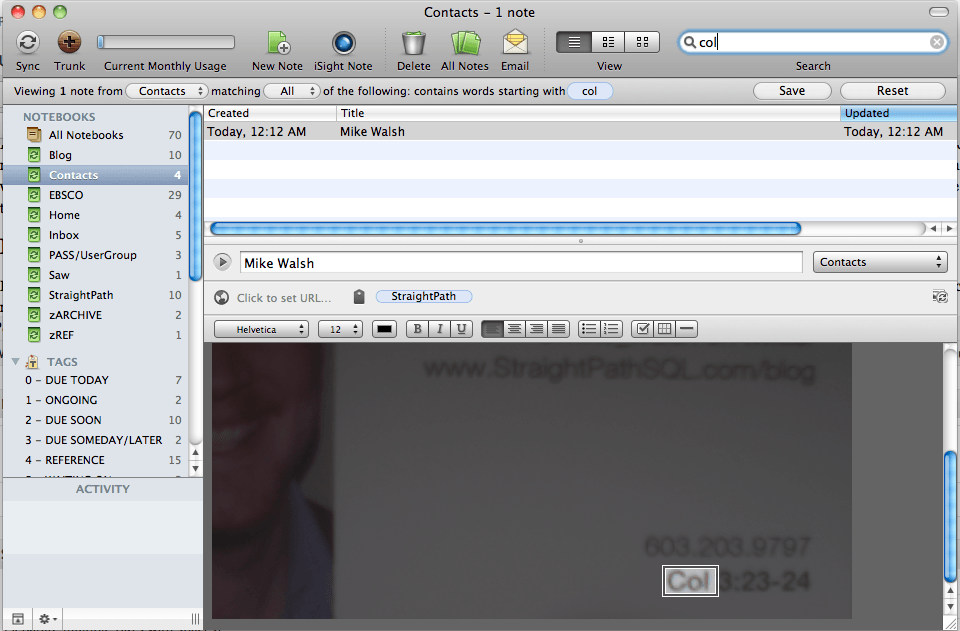
I can do that with any picture, not just business cards. With the premium edition, I can also import just about any file format I wish to import and I can search through PDF files, I believe.
Burn A Tweet (Or E-Mail)
Ok, well I actually don’t mean with fire this time. I mean, burn a copy. With twitter interaction, I can send a tweet to @myen and it comes into my evernote account. The other day Karen Lopez (better known as @DataChick to the twitterers out there), who blogs at InfoAdvisors, sent out a tweet to a flickr picture with the message “this could be useful”. I agree, could use it in a post or a blog (but then I saw the Creative Commons license, no I can’t). But yeah, I can send myself a note through twitter. Same thing with e-mail, I can forward an e-mail to my evernote account and keep it there for a record or for an action item.The Trunk
They recently launched an “app store” like feature called “The Trunk” where I can download apps that are designed to integrate with Evernote. There are some promsing applications out there and some neat ideas like scanning receipts/etc. into Evernote. One idea I had was to put all of my junk drawer (alright we have two junk drawers and a junk closet) paperwork into one of two places: Evernote and then the trash, or straight to the trash. I may still do this but not with as many items as I had wanted, as I don’t know how secure my PII would be on their servers. I may still scan them onto some app within my home network though. Using this tool has put me on a declutter kick and I think I’m liking the clean desk (STILL!) at work.Blow Up These Problems!
Since I am talking a lot about a product (that, again, I am not receiving compensation from… In fact I approached them about giving away the premium license and they never got back to me…) I might as well talk about some of the frustrations/concerns:- The Interwebs – One of the greatest features is one of the potential faults. What happens if World Cup fans all around the world want to take notes about tactics used in the games the next time? Services go down, in fact Evernote had some down time (not horribly long but they experienced it) just this week, after the first 3 posts were scheduled to go live and I had to make sure to add this. I will still have my notes but I can’t sync and can’t get all features (like the OCR on the mac. has to sync to server then back – seconds – to be searchable)
- Security – There is SSL for the data to go to the server. I can even encrypt selected text and receive my own pass phrase for decrypt. It is still all managed at the server and they don’t tell you a whole lot about the security. To get SSL encryption I had to upgrade to premium. I won’t be putting passwords and sensitive client/employer data in here that could cause issues if stolen. I also don’t know about their corporate security. What are their policies at their data center? Within their databases? It is a cloud based service that I don’t know a whole lot about.
- Backup – I perform exports on occasion of my notes to HTML for a local backup. The devices all receive all notebooks so I actually have copies in 3 places plus a backup. Plus whatever they do on their servers. Maybe it’s overkill, but I’m a DBA. 🙂
- Private Clouds – They don’t. What if I wanted to host my own evernote service for myself behind a firewall on my own equipment. I can’t. I don’t need their servers for this (save for the OCR perhaps)
- No great way to “Draw” on the mac. I can use a third party app like Skitch to do so but I wish I could easily and quickly drag shapes in when at a whiteboard session. I can take a picture but with the drawing, I can draw the “motion” of the whiteboard.